Objective: Today is a Self-Study lesson to complete your writing activity. While you are working on your worksheet, we will do practice speeches with the teacher.
Save you speech on a USB
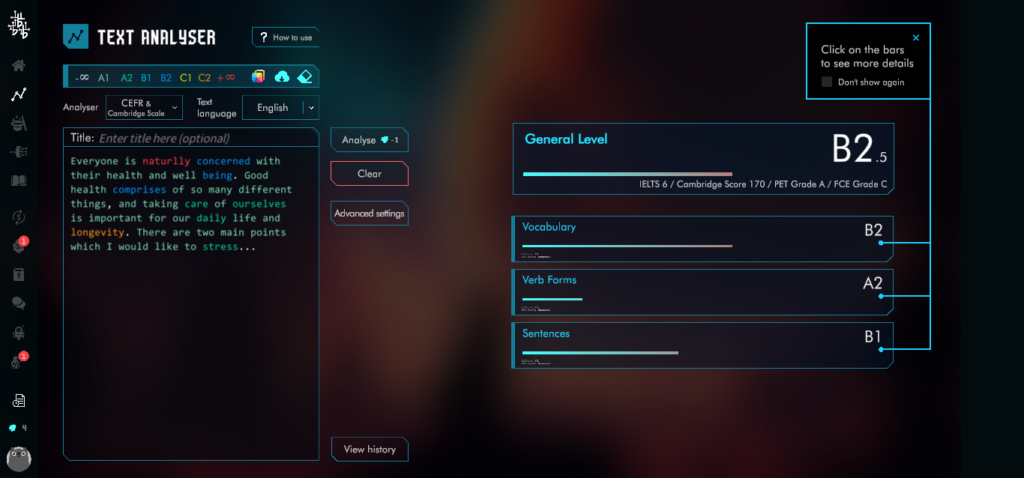
Upload your Speech CEFR: take a screenshot. When you finish show the teacher. You can finish today’s class.
1. TextBox: Final presentation Dec 5th [please type]
Aim: To make a Poster using Word file (docx); and to write your speech.
1.Poster Requirement: layout design is landscape; you need both text (sentences and bullet points) and graphics (pictures / graphs). Follow these tasks and make 6 sections; and write 120 to 150 words:
Section 1: Title and information 1: include name and student number
Section 2: information 2 – I think this this topic is important because …
Aim: To learn about what it is going to be like living in the future, and to express your opinions about the future
Method: Follow these steps. The teacher will give you a worksheet in class.
Submission: There are two documents to submit next week; (A) your task worksheet, (B) Poster
Step 1: Task 1: What is the definition of living in the future? Use the video to help you. Write your own words (20-25 words). Also write 15-20 key words (in English).
Step 2: Task 2: Listen to the video to learn about the topic. Think about the main points, how many main points are there? Write them.
Video
Step 3: Task 3: What is Hybrid Learning? Write your own explanation (20-25 words)
Step 4: Task 4: The main point “Redesigning work spaces” is a new concept for work. Explain this idea: (50words)
Step 5: Task 5: At 1:30 – “Office Study” is talked about. Explain what this study was about. (35words).
Step 6: Task 6: What are the challenges for the future? Explain them. Can you think of one challenge yourself?
Aim: To give a slide presentation based on the topic
Method: You a professional worker and your expertise is todays topic: Self-Development. Present a 60 second presentation on the topic to teach your audience about the importance of developing yourself.
Procedure A: Complete the speaking and language objectives;
Slides: Headings; use bullet points for information (not sentences); one picture each slide
Title Slide: The Importance of developing yourself; Name and Student number (this slide does not count)
Slide number 1: In 20 seconds introduce the topic and explain why this topic is important
Slide number 2: In 20 seconds explain the first main point (1)
Slide number 3: In 20 seconds explain the second main point (2)
Reference Slide:Reference: copy and paste the link of the video (this slide does not count)
Speech card: First write your speech in a word document. Next, copy your full 60 second speech on the speech card; highlight key words and your opinions.
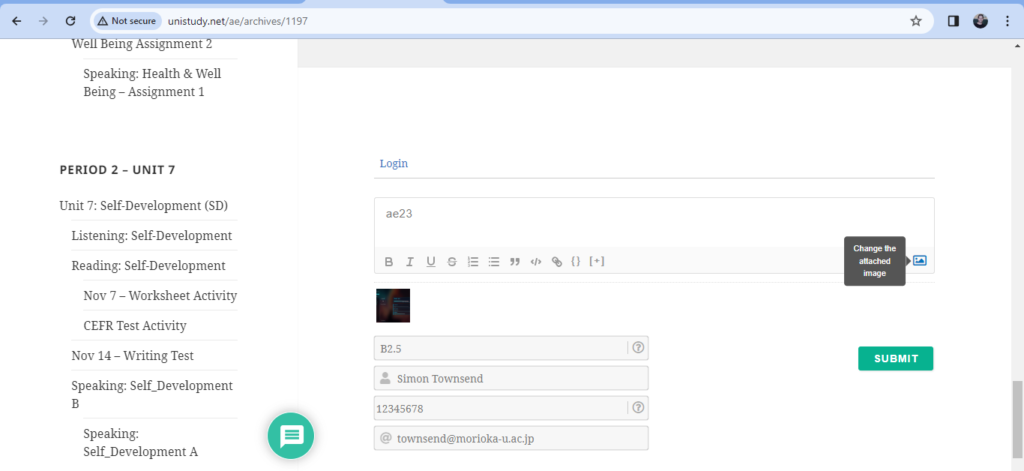
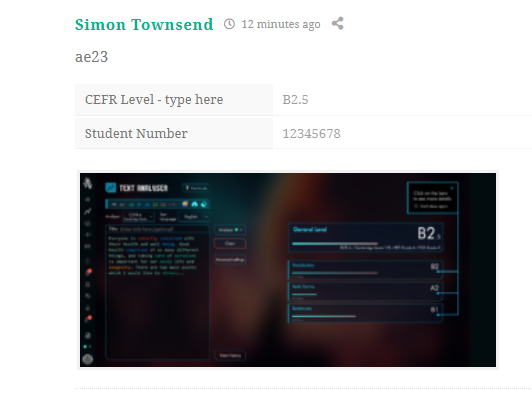
Procedure C: Enter (copy&paste) your speech from the word document, and enter into the CEFR text analyzer. Take a computer screenshot of your results. Press [ Windows button (first) + prtsc (second) ] at the same time – to take a screen shot. Upload your screenshot below. The teacher will give you a demonstration:
Screenshot
eBlog Submit
Picture upload: This PC – Pictures (folder) – Screenshots
Aim: To give a slide presentation based on the topic
Method: You a professional worker and your expertise is todays topic: Health & Wellbeing. Present a 60 second presentation on the topic to teach your audience about the importance of taking care of your Health.
Procedure A: Complete the speaking and language objectives;
Slides: Headings; use bullet points for information (not sentences); one picture each slide
Title Slide: The Importance of Taking care of your Health; Name and Student number (this slide does not count)
Slide number 1: In 20 seconds introduce the topic and explain why this topic is important
Slide number 2: In 20 seconds explain the first main point (1)
Slide number 3: In 20 seconds explain the second main point (2)
Reference Slide:Reference:copy and paste the link of the video (this slide does not count)
Next, copy your full 60 second speech on the speech card; highlight key words and your opinions.
Procedure C: Enter (copy&paste) your speech from the word document, and enter into the CEFR text analyzer. Take a computer screenshot of your results. Press [ Windows button (first) + prtsc (second)] at the same time – to take a screen shot. Upload your screenshot below. The teacher will give you a demonstration:
Screenshot
eBlog Submit
Picture upload: This PC – Pictures (folder) – Screenshots
Method 1: record your presentation using your smartphone and computer
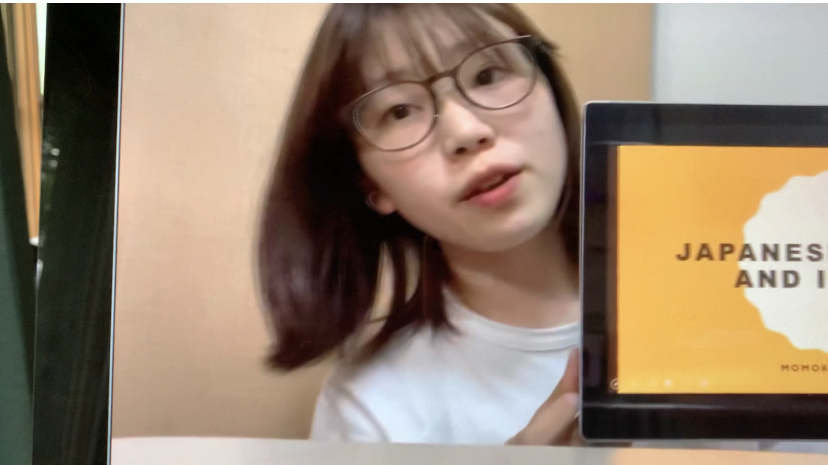
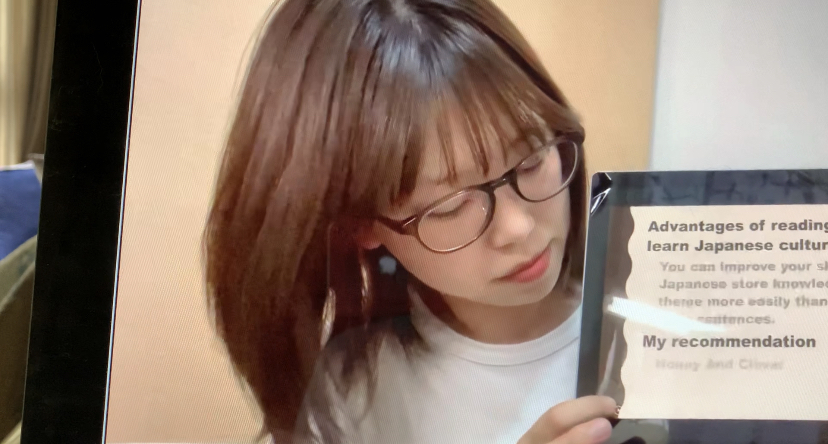
Set up – look at the student example. The student is next to the screen. The script and smartphone is in front. She is sometimes looking at the script (picture 1: position); sometimes looking at the camera (picture 2: position), and sometimes looking at her screen (picture 3: position).
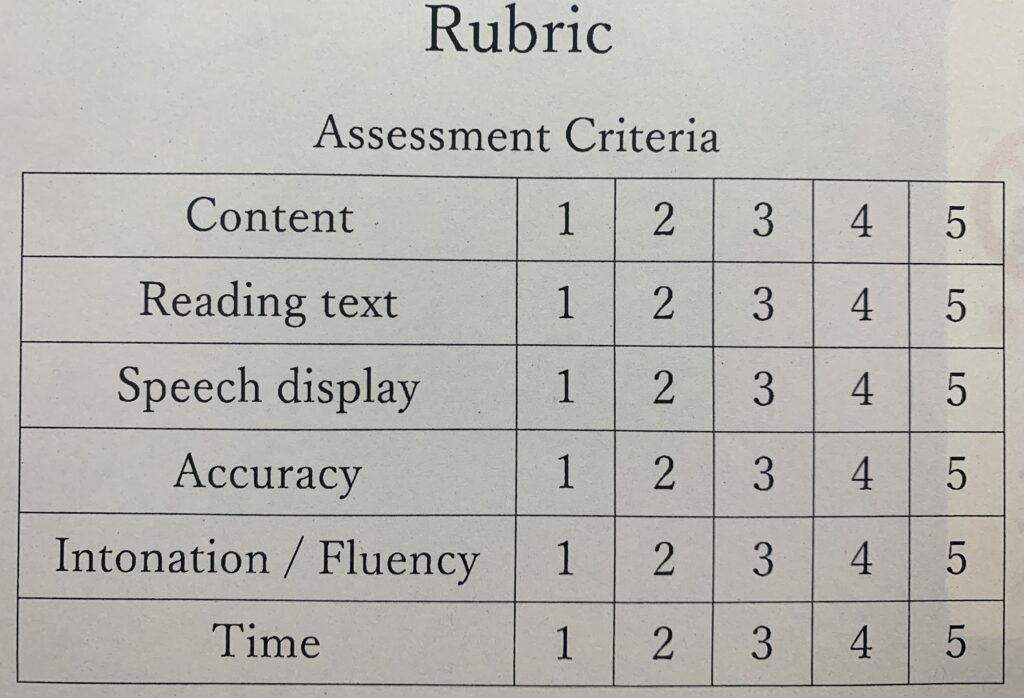
Content:
information for each section
Reading text:
highlight key words in your information
use sentences
use bullet points
Speech display: Poster layout
organize your poster layout information
video technique
Accuracy:
no mistakes on your poster
no mistakes in your audio (pronunciation)
Speech:
intonation – speaking with up tone and down tone
fluency – reading pace (fast or slow)
Time:
Time 1 – word count limit (100 words)
Time 2 – seconds time limit (60 or 90 seconds)
Submission: You can record in class any day and any time. BUT, you must submit to the teacher in class via LINE.