Category: Unit 7: Self-Development
10/15 – 10/29 Task 4-6
Aim: To explain a heading of the topic; the teacher will give you the heading
Task 4 Title – Heading 1: “Write down your chief (number 1) aim.
Steps: Follow these steps;
Step 1
- Listen to the video Heading video time [1:30 – 2:00]
- Write a summary: what is the important information (20words)
For example: Write down your number 1 goal. Read it every morning and every night. Do this for a month, and watch if something happens. (23words)
Important point: do not copy and paste the video text. Use the key words / phrases / and sentence grammar (target language – TL). Try and use your own words as well, use the sentences from the video.
Step 2
- Listen to the video Heading 2 [2:00 – 2:30]
- Write a summary: what is the important information (20words)
Task 5: Myself
Steps: What is something you want to improve 改善 (make changes / make better).
For example:
- Wake up early in the morning, go to bed earlier
- improve my diet
- exercise more
- join a club activity
- get a part-time job
- study
Activity Task 5: Please explain what you want to improve 改善 (20-30 words)
Teacher example: I want to improve my diet. I sometimes skip breakfast and I eat a lot of snacks at night. I want to eat more red meat and vegetables. (28words)
Task 6: Try something for the first time
Is there something you want to do for the first time? Or something you want to get?
For example:
- learn to drive / get a drivers license
- play a sport (tennis)
- learn the piano
- join a dance circle
- travel to Tokyo (go to Disney)
Activity Task 6: Please explain what you want to try / do for the first time. Why? (20-30 words)
Homework deadline: Class 4 (10points);
- Type Task 4, 5, and 6 in a word document (Your responses)
- Type a heading for each task (type your own title)
- Type the word count in brackets at the end (9 words)
- Please bring your homework to the next class
- Submit your worksheet to the teacher
How to Submit:
- Add a title: make your own title (center / font size 16 / B=Black)
- Under the title: add your name and student number (center / font size 14)
- Heading: (B=Black / font size 14)
- Text: (font size = 12)
- Save your document
- Print your document using a 311### printer
Example:
29/10 Make a PowerPoint
Example: copy and paste your text, and select graphics:
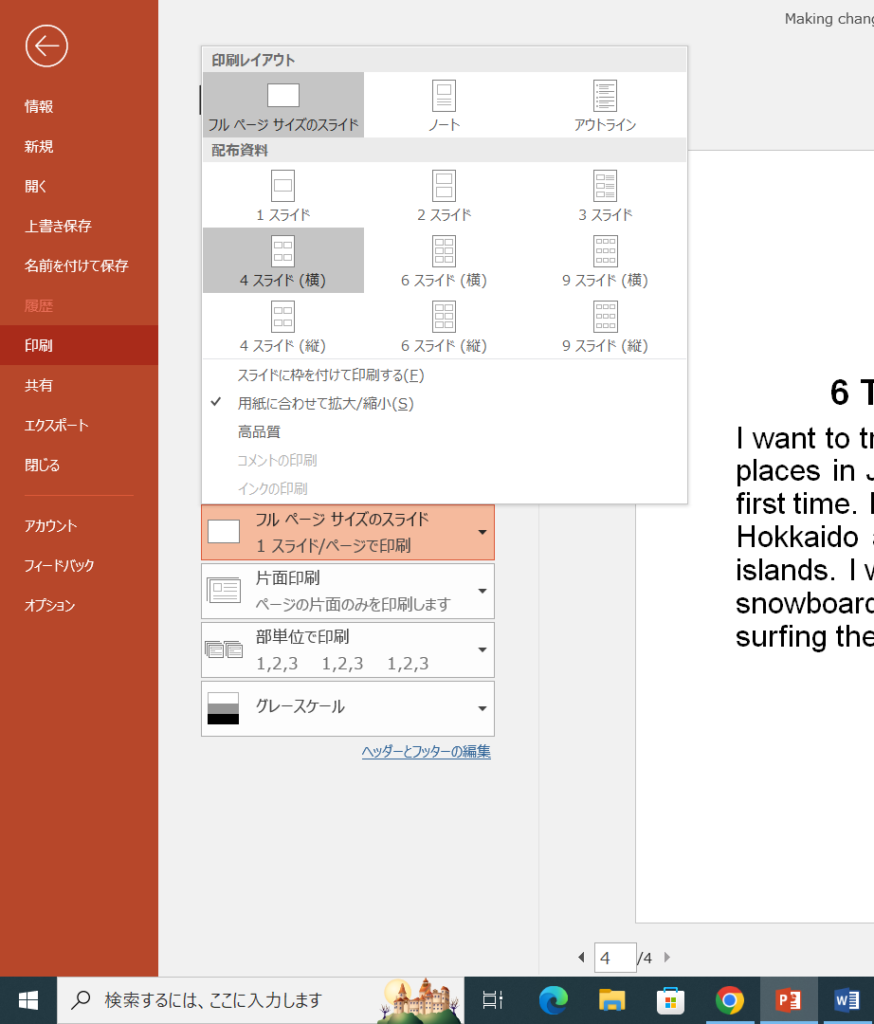
Printing: select the printing format and print out:
Speaking Submission: Method 1
- Record with your smartphone
- Position your phone on your PC – Selfie view
- Open your PowerPoint and read your speech
- Record and send to Simon Townsend (teacher)
- Text message: Name in English; student number; Unit 7
Example Setup:
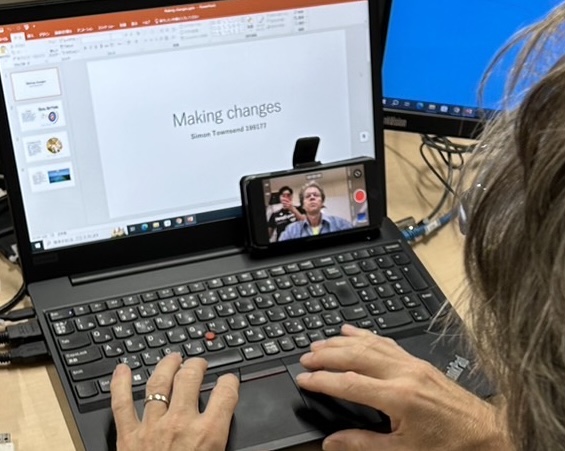
Example Video:
Period 2: Speaking: Self-Development B
Aim: To give a slide presentation based on the topic
Method: You a professional worker and your expertise is todays topic: Self-Development. Present a 60 second presentation on the topic to teach your audience about the importance of developing yourself.
Procedure A: Complete the speaking and language objectives;
Slides: Headings; use bullet points for information (not sentences); one picture each slide
- Title Slide: The Importance of developing yourself; Name and Student number (this slide does not count)
- Slide number 1: In 20 seconds introduce the topic and explain why this topic is important
- Slide number 2: In 20 seconds explain the first main point (1)
- Slide number 3: In 20 seconds explain the second main point (2)
- Reference Slide: Reference: copy and paste the link of the video (this slide does not count)
Template:
Procedure B: Complete the speaking and language objectives.
Teacher Example:
Speech card: First write your speech in a word document. Next, copy your full 60 second speech on the speech card; highlight key words and your opinions.
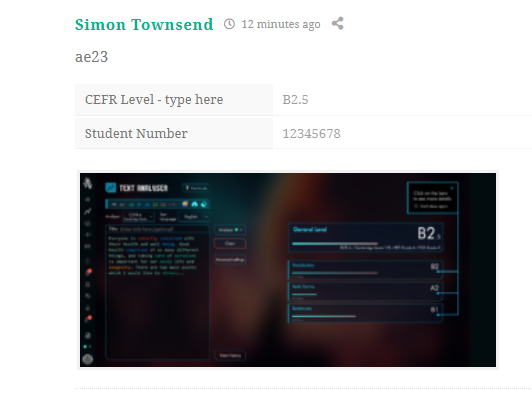
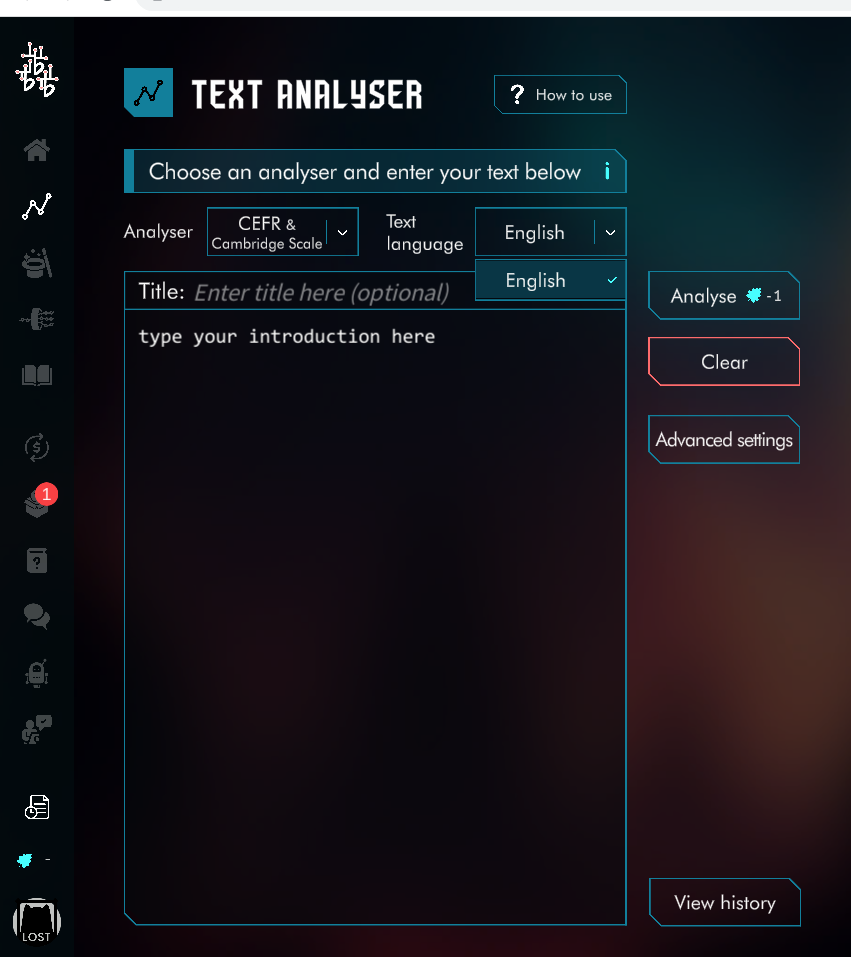
Procedure C: Enter (copy&paste) your speech from the word document, and enter into the CEFR text analyzer. Take a computer screenshot of your results. Press [ Windows button (first) + prtsc (second) ] at the same time – to take a screen shot. Upload your screenshot below. The teacher will give you a demonstration:
Screenshot
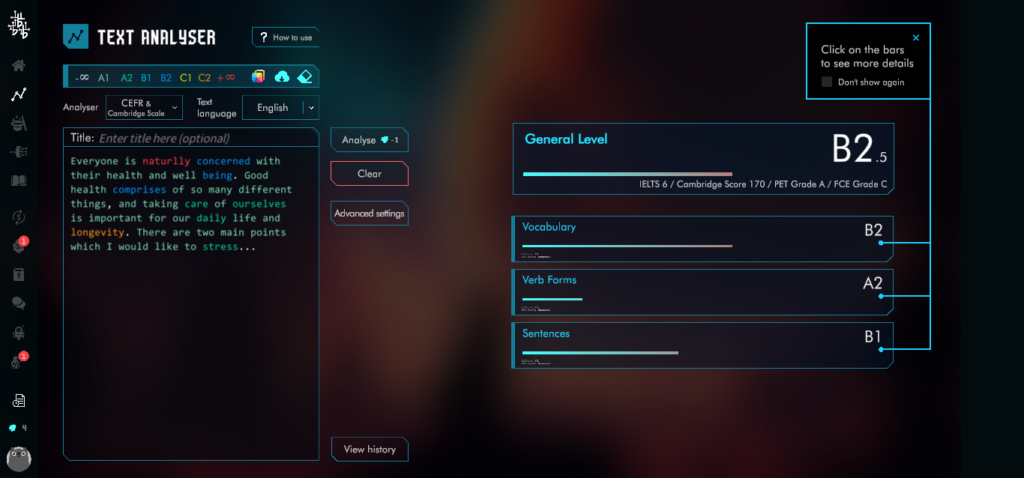
eBlog Submit
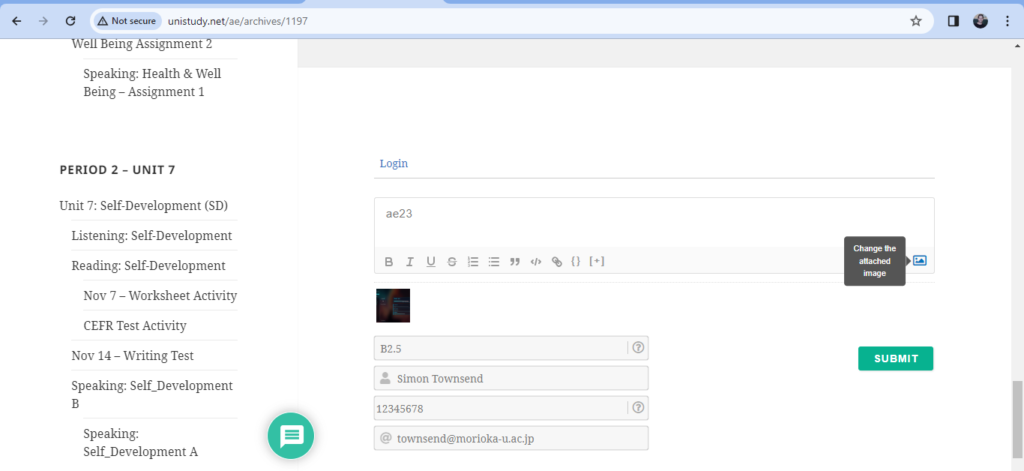
Picture upload: This PC – Pictures (folder) – Screenshots
Example:
Speaking: Health and Wellbeing Presentation 2
Aim: To give a slide presentation based on the topic
Method: You a professional worker and your expertise is todays topic: Health & Wellbeing. Present a 60 second presentation on the topic to teach your audience about the importance of taking care of your Health.
Procedure A: Complete the speaking and language objectives;
Slides: Headings; use bullet points for information (not sentences); one picture each slide
- Title Slide: The Importance of Taking care of your Health; Name and Student number (this slide does not count)
- Slide number 1: In 20 seconds introduce the topic and explain why this topic is important
- Slide number 2: In 20 seconds explain the first main point (1)
- Slide number 3: In 20 seconds explain the second main point (2)
- Reference Slide: Reference:copy and paste the link of the video (this slide does not count)
Template:
Procedure B: Complete the speaking and language objectives;
Speech card: First write your speech in a word document.
Teacher Example:
Next, copy your full 60 second speech on the speech card; highlight key words and your opinions.
Procedure C: Enter (copy&paste) your speech from the word document, and enter into the CEFR text analyzer. Take a computer screenshot of your results. Press [ Windows button (first) + prtsc (second)] at the same time – to take a screen shot. Upload your screenshot below. The teacher will give you a demonstration:
Screenshot
eBlog Submit
Picture upload: This PC – Pictures (folder) – Screenshots
Example:
CEFR Test Activity
Aim: To evaluate our writing; improve our writing – by focusing on the use of key words (topic vocabulary or specialized vocabulary)
Procedure: Follow these steps
- Log into the CEFR system
- Type your Introduction of the topic video (Task 1)
- Click CEFR / Analyze
- Check your result. Can you improve your use of key words?
- Type and edit and improve your writing.
- Please do this exercise (repeat) 3 times in class today.
- Was this exercise helpful?
Protected: Speaking: Self_Development
Protected: Writing: Self-Development
Reading: Self-Development
Unit 7: Self-Development (SD)
Topic: Self-Development (SD)
Aim: In this topic you are going to learn about the meaning of “Self-Development” and why it is so important.
Objectives: read the activity objectives below;
- Listening comprehension: to watch a topic video and learn the key vocabulary and language
- Reading comprehension: to practice reading and learn paragraph writing format styles
- Writing: to research an endangered animal and write a short report – paragraph format
- Speaking: prepare a short 1 minute presentation about the idea that suits you the most
Listening: Self-Development
Self-Development: Why is self-development important in your life?
Video: Watch the video two times and follow the steps below. There are two steps.
Step 1: First, watch the video with no subtitles, and try and understand the content – what is the topic about? Do not take notes at this stage, just listen.
Skill exercise:
- Listen for the main points in the video
- Remember key words or phrases
Step 2: Watch the video a second time with English subtitles and follow the skill exercise.
Skill exercise:
- Task 1: Write keywords or phrases – also called topic vocabulary or specialised vocabulary
- Task 2: Identify the main points – write the video titles for each section
- Task 3: Identify the support sentences explaining the main points