You need: a smartphone; YouTube app on your phone; YouTube account or another account you can log in with, for example GMail; smartphone access from your Photo app to YouTube app.
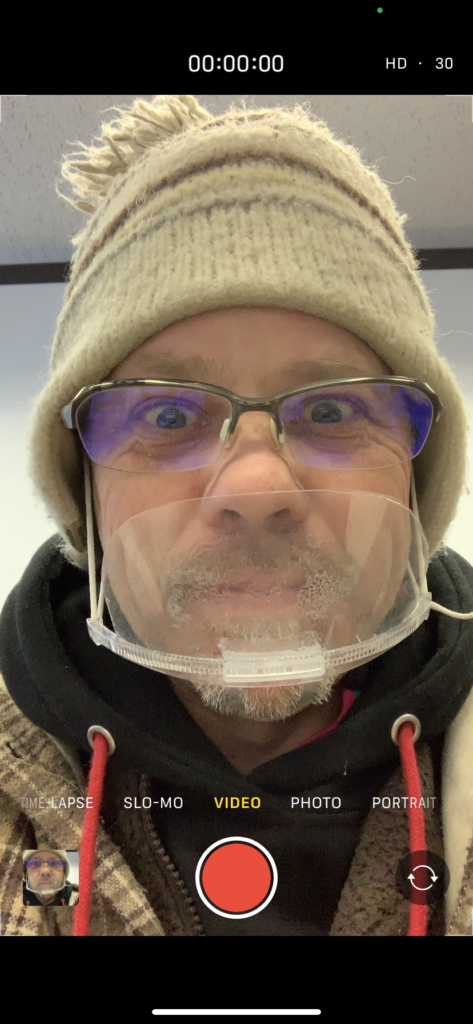
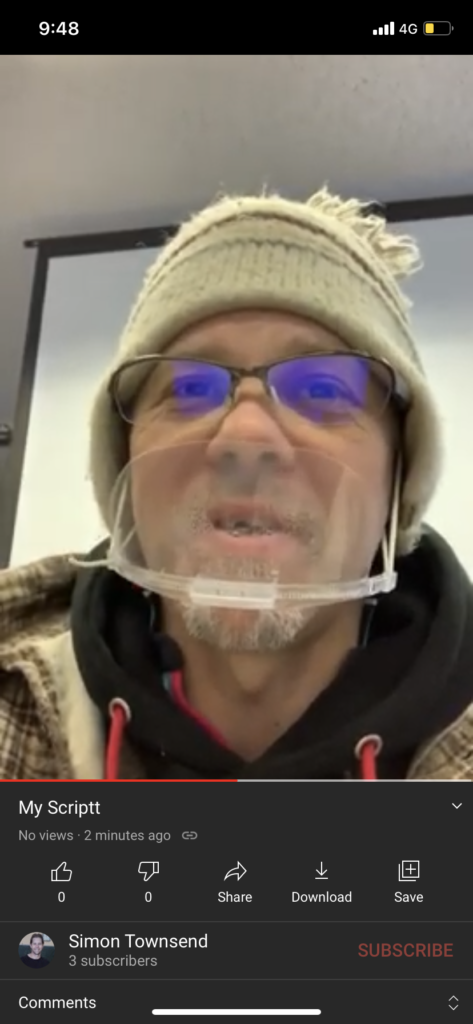
Speaking Script: On your smartphone, take a video face shot of yourself and read the script and record to upload to YouTube. Follow these steps:
Part A – Upload YouTube URL & PDF (PowerPoint) Due: 27th 12pm. Video Title: MyScriptA; PDF Title: MyScriptA (create new)
Slide 1: copy and paste the script into a PowerPoint File called MyScriptA, and complete; a) your full-name (in English) and age; b) University name / year / course name (in English); and c) possible future job (perhaps).
Slide 2: copy and paste the script into a PowerPoint File called MyScriptA, and a) explain why did you entered this course!
Slide 3: copy and paste the script into a PowerPoint File called MyScriptA, and a) explain why you want to do a future job!
Slide 4: copy and paste the script into a PowerPoint File called MyScriptA, and a) explain other interests you have!
Slide 5: copy and paste the script into a PowerPoint File called MyScriptA, and a) explain where you want to live!
Part B – Upload YouTube URL & PDF (PowerPoint) Due: by February 3rd 12pm. Video Title: MyScriptA2; PDF Title: MyScriptA2
Objectives: research the internet related to your future job/career. Find and select a problem connected to it (job/career). Research the problem to identify; and present solutions to solve this problem. Recognize the advantages and disadvantages. Follow and complete the slides below 6; 7; 8; 9; and 10. Submit your YouTube URL and PowerPoint (as a PDF file) in Line
Slide 6: copy and paste the script into a PowerPoint File called MyScriptA2, and complete; a) complete the Title of your Problem; b) include a picture and a picture description.
Slide 7: copy and paste the script into a PowerPoint File called MyScriptA2, and complete; a) complete the Explanation of Solution 1; b) include a picture and a picture description.
Slide 8: copy and paste the script into a PowerPoint File called MyScriptA2, and complete; a) complete the Explanation of Solution 2; b) include a picture and a picture description.
Slide 9: copy and paste the script into a PowerPoint File called MyScriptA2, and complete; a) complete one advantage for each solution, and b) complete one disadvantage for each solution.
Slide 10: copy and paste the script into a PowerPoint File called MyScriptA2, and complete; a) complete your final opinion about the problem and solutions.
You need: a smartphone; YouTube app on your phone; YouTube account or another account you can log in with, for example GMail; smartphone access from your Photo app to YouTube app.
Speaking Script: On your smartphone, take a video face shot of yourself and read the script and record to upload to YouTube. Follow these steps:
Step 1: copy and paste the script into a PowerPoint File called MyScript, and complete the following details; a) full-name; b)age; c) course name (in English); and d) possible future job (perhaps).
Hi. My name is __________ and I am _________ years old. I entered Iwate University in 2020 and I am enrolled in the ___________________ course. In the future I am interested in becoming __________________ .
Step 2: Practice your short script and then record using your smartphone. Hold the phone close to you, center your face-shot, and in front of the script on your PC. And smile:)
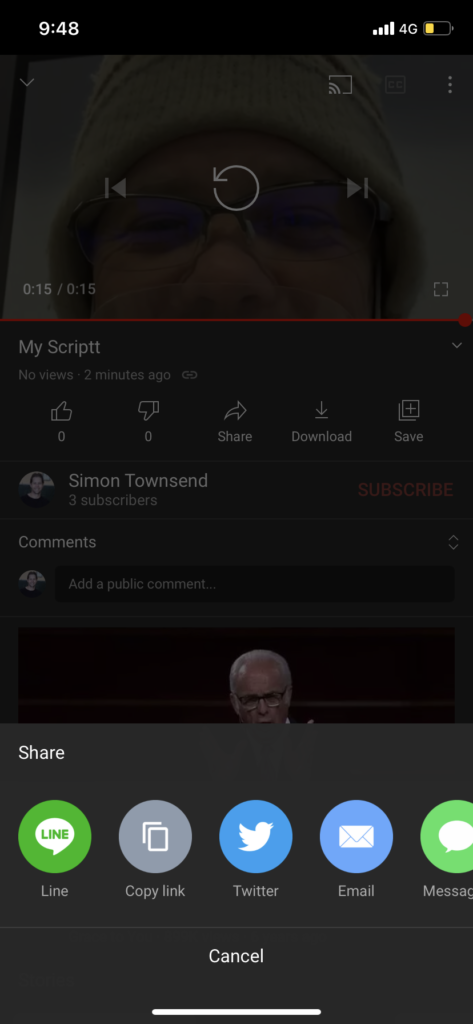
Step 3: On your smartphone, choose your Photo app, and select the video you want to upload, and click share (bottom of the screen):
Or, open the YouTube app, and click on the share / upload / plus button:
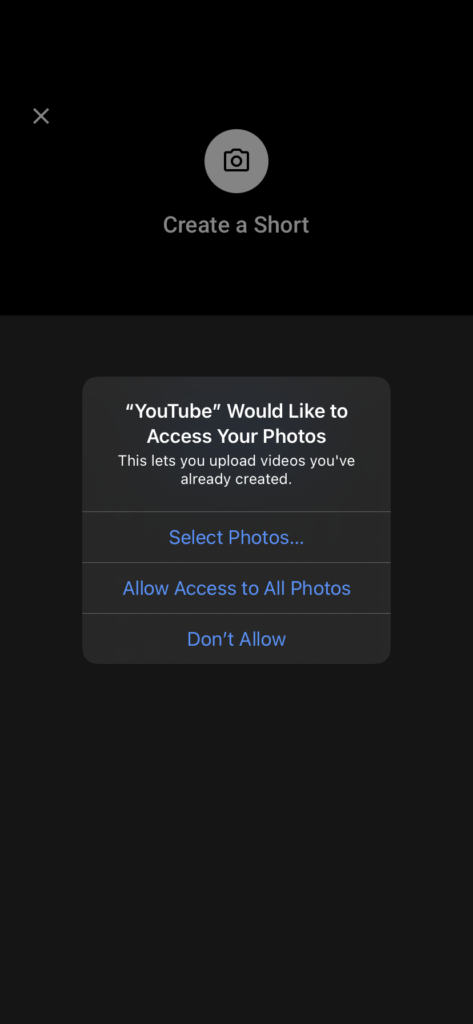
You may have to click on and allow the YouTube app access to your photos and videos:
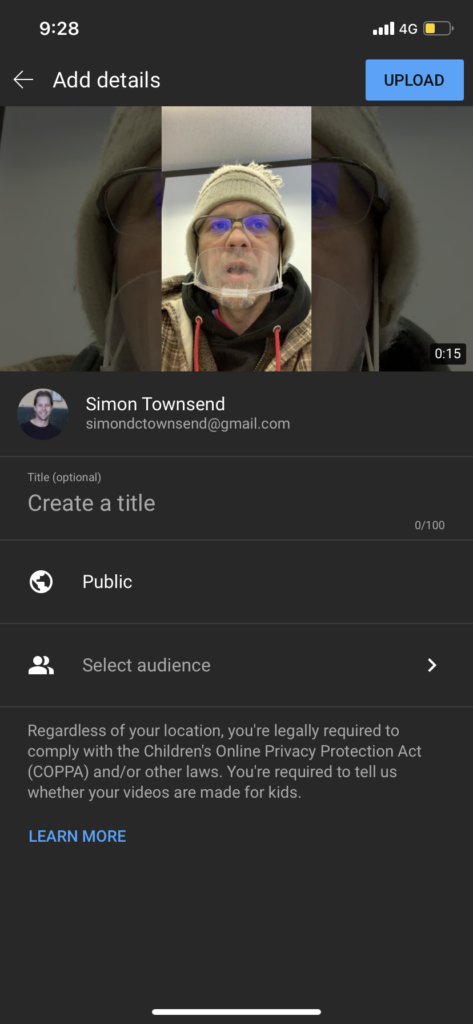
Next, follow the privacy directions and a) in the Create a title write My Script:
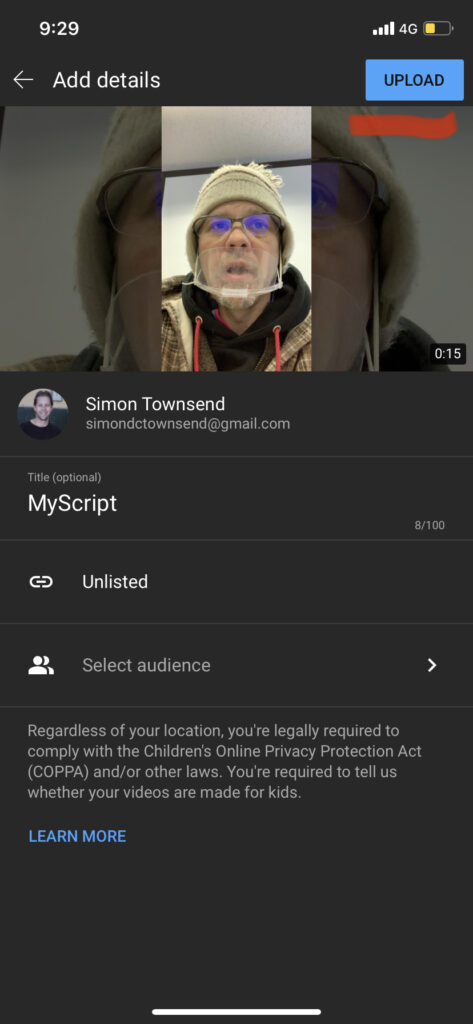
Next, you DO NOT want your video to be Public (to the world). So, b) select Unlisted, and your video will be made using a secret URL
Next, click on Upload (the top button)
After a few minutes you will be notified that your video has uploaded (Mine took 2 minutes using 4G).
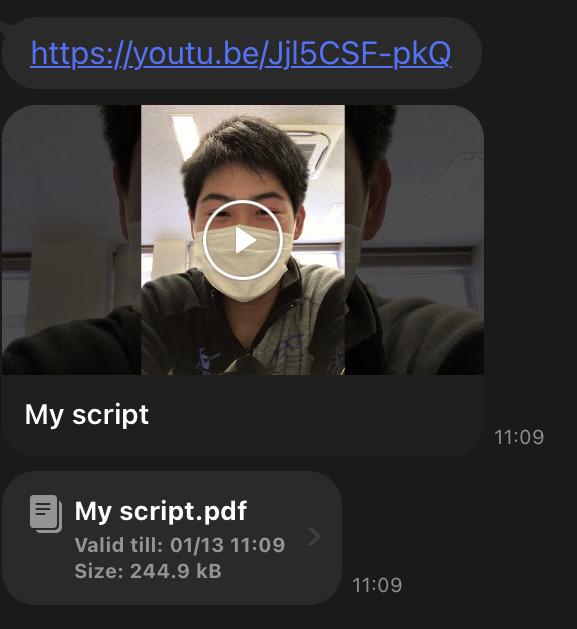
Also you will be able to access the secret URL. Next, upload into Gandai Online
Aim: To write your impression, following a report format called Feedback Report
Objective: To express yourself based on video content; your thoughts and ideas.
Video: Where the Hell is Matt?
Submission: Submit the following report, using the below format in a word document. There are 5 parts to this feedback report Save as PDF and LINE. Due: December 18th 9pm
Title: create your own title about the video
Key words: key words a; keywords b; keywords c
Introduction sentence: explain this video (20words or less)
Activity 1 2020 Aim: Is to transcribe your speech; this means to listen to your video recording and type the exact words. Record as many lines: Time / Script you want to.
Objective: To create a final transcribe (see attached document) in word. Please submit as a PDF in LINE, by next class.
Submission Guidelines by LINE
Audio Recording
4 speech slides – PDF
Transcribe (90second speech) word document – PDF See example below:
Activity 2 2021 Aim: To video record your transcribe (repeat using video and not audio) and submit via YouTube upload.
Video Conditions: Follow these requirements
Select a quiet place to record – no background noise (not cafeteria, and not classroom) *If at home (no mask)
Center your face-shot
Create name: My Transcribe
Select Unlisted
Practice & Repeat – upload when you are satisfied (not the first time)
Final Submission Outline: Complete the following submissions in LINE
Content Process: How to select and use the content you have. You can choose to present the best way possible – so experiment different ways;
Select Content A (video 1) and record
Select Content B (video 2) and record
OR combine (video 1 & 2) Content A; and combine (video 1 & 2) Content B
Rubric Procedure: The score pane outlines least (1) to maximum score (between 5 to 10). When we use a rubric in an activity to improve our schoolwork, please follow these rules:
a score of 1 = something not done (yet)
a score of 2 = something done incorrectly
a score of 3 = weak point – needs more work
other scores = strengths and do not need more work
Submission: Follow this outline;
Record your audio file (90 seconds) and upload in LINE;
Save your 4 slide PowerPoint as a PDF, and send to LINE